Showing posts with label Bloger trick. Show all posts

Wednesday, 12 June 2013

Top 5 Best Auto Pinger Website To Increase Your Blog Traffic

Top 5 Best Auto Pinger Website List


Hi everybody...today i want to list some of the best ping blog service.Everyone who have blog need to ping the blog right? Here Some List Of The Ping Blog Service.Hope this list can help you :)

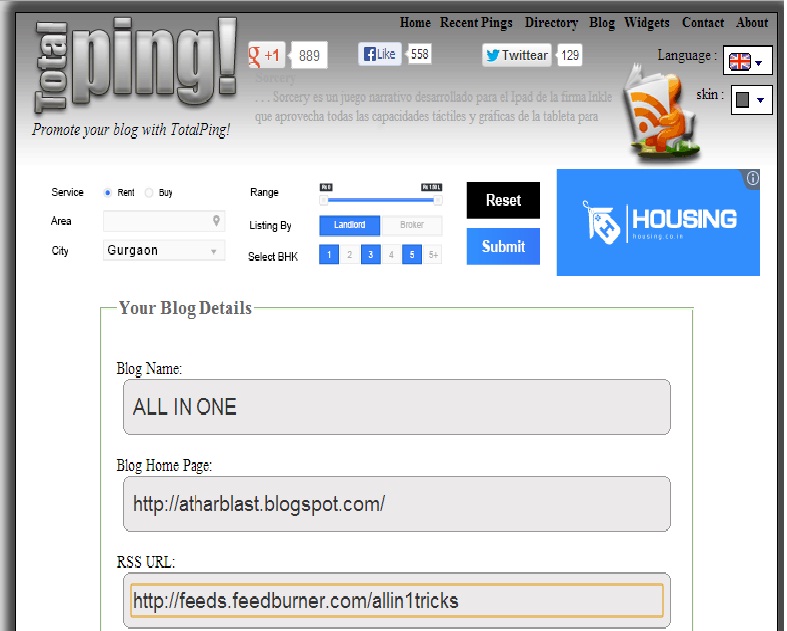
1-TotalPing

Easy to Promote your blog with TotalPing!

2-FeedSharks

Feed Shark is a free online tool that easily promotes your blog or website - with the simple push of a button! Feed Shark pings a variety of services to notify the world that your blog, website, RSS feed, or podcast has recently been updated or created! It takes less than a minute to use Feed Shark and saves you countless hours of time in the process! Enjoy our service and have fun!

3-Pingler

Welcome to pingler.Ping your blog here for free.

4-BlogPingTool

Notify search engines, blog and rss directories that your blog is updated or created. The benefits are faster Search engine indexing, increased visibility and more traffic. And it only takes less than 30 seconds to do this with our blog ping tool which is completely free and easy. Works for any type of blog or site.

5-PingOat

Pingoat is a service that pings or notifies a number of services that keep track of weblogs and publish them. By pinging, you let the services know that your blog has been updated and hence, they crawl and index your site, publishing your blog contents, thus increasing your blog's popularity.

If U Like My Work Then Plz Like My Facebook Page

Sunday, 19 May 2013

Top 6 Google Adsense Alternatives 2013

Hi,
I Post Here Top 6Alternatives to Google Adsense :

1. Luminate
luminate.com

Luminate Inc. (previously known as Pixazza Inc.), founded in 2008, is an online advertising program and currently the market leader in making the images more interactive, offering World’s first platform for image application. It currently serves more than 150 million users per month and 30 billion page views per year. This ‘first-of-its-kind’ platform gets operational when a user mouse-over’s an image, displaying the related products and information to that user. It takes into account the keywords that have been tagged with an image and then display the relevant ads accordingly.

The minimum payout is $10 which can be received on a PayPal account or via Standard Cheque.

2. Chitika
go.slashsquare.org/chitika

Chitika Inc., founded in 2003, is a search-targeted advertising network and research firm. The name Chitika means “in a snap” in the South Indian language of Telugu. It offers 3 different products or kinds of ads to the users :

(i) Chitika | Premium : Chitika | Premium displays ads to visitors that reach a page directly from a major search engine.

(ii) Chitika Local Ad Exchange : Chitika launched Local Ad Exchange (LAX) with the intent of bringing together search-targeting and local advertising.

(iii) Chitika Mobile : Chitika Mobile is a feature that allows standard Chitika | Premium ads to change dynamically into mobile-designed ads based on a user’s user agent.

The minimum payout is $10 which can be received on a PayPal account or via Standard Cheque.

(i use Chitika On My Other Blog Click Here

3. Kontera
kontera.com

Kontera Technologies Inc., founded in 2003, is an advertising network, providing in-text advertising and information services.It is a leading provider of In Text advertising for your website, delivering state of the art contextual ads. There are over 140 million monthly unique users on the Kontera network.Kontera ads are used in over 1% of the top 10,000 websites ranked by traffic.

The minimum payout is $50 which can be received on a PayPal account or via Standard Cheque.

4. Bidvertiser
bidvertiser.com

Bidvertiser is a PPC based program offering fully customizable, content based advertisements. Bidvertiser offers website owners with the ability to sell their ad space, automatically, to the highest bidder. Advertisers can place ads directly on sites of their choice and pay only when a visitor clicks-through their site. Bidvertiser serves text ads in all types of standard ad units, including banners, buttons, skyscrapers and inline ads. They also offer an affiliate program which is optional, but can help you earn extra cash.

The minimum payout is $10 which can be received on a PayPal account or $25 which can be received via Standard Cheque.

5. Infolinks
infolinks.com

Infolinks Inc. is a leading provider of pay per click In-Text advertising services, working with online content publishers worldwide. It delivers highest click-through-rate in the industry, and lead the market with innovative technologies that bring the advertisers the highest ROI and the publishers the highest earnings. It provide engaged website audiences with advertisements that truly match their interests as they read. Advertisers reach global markets with local precision, via 300 million unique views across 50,000+ premium sites that work exclusively with Infolinks.

The minimum payout is $50 which can be received on a PayPal account or $400 which can be received via BankWire / ACH payments.

6. Technorati Media
technoratimedia.com/publishers/

They operate the largest social media advertising network. With our deep agency and client relationships, we ‘ll deliver targeted campaigns from top brands at high CPMs. We’ve built a national sales team with a record of success from top tier media companies including Google, MSN, Yahoo!, IGN, Hearst, CNET, Tribal Fusion, Washington Post, and Time Inc. So you can take part in campaigns from top brand advertisers and fill whatever’s left at the highest possible rates.

Their minimum payment amount is $50.00. Technorati Media can pay you via PayPal or check.

Tuesday, 14 May 2013

ADD FACEBOOK POPOUT LIKE BOX TO BLOGGER

Facebook Popout Like Box is a new version of FB Like Box for Bloggers,this box will help you to get Facebook Page likes , the likes can be for your website/blog page or any other page.We should not underestimate the Social Media , in which Facebook is at the top , therefore get more likes for your Facebook page and get high traffic from your Facebook Pages , in this regard a New Facebook Popout Like Box Version 2 has been released which will solve your traffic problem,this is very stylish Like Box , you can add this Like Box to any side of your Blog/Website .Whenever someone move mouse on it , it will pops up .However Let's see how to add this box to Blogger.

Just See On My Left Side Blog

How To Add Facebook Popup Like Box To Blogger
Before installing/adding Facebook Popup Like Box to your Blog , you must already install the jQuery Plugin to your blog template , if you have not added that plugin follow the below easy steps to add.

  • Sign in to your Blogger Account 
  • Go To Blogger Dashboard , there click on template after that Click on Edit HTML , then Proceed it , Check the Small Box "Expand Widgets Template" after that Search for </head> tag.
  • Now Copy the below Script and paste below/under </head> Tag
<script src="https://ajax.googleapis.com/ajax/libs/jquery/1.8.2/jquery.min.js"></script>
  • The Plugin is installed , now lets add the Like Box
  • Again Go to Blogger Dashboard
  • Click On Layout
  • Add a Widget and Select HTML/JavaScript
  • A Box will popup , now Copy the below script/code and paste it in the box.

<style type="text/css">
/*<![CDATA[*/
#fbplikebox{display: block;padding: 0;z-index: 99999;position: fixed;}
.fbplbadge {background-color:#3B5998;display: block;height: 150px;top: 50%;margin-top: -75px;position: absolute;right: -47px;width: 47px;background-image: url("https://blogger.googleusercontent.com/img/b/R29vZ2xl/AVvXsEihn_E-uom6aUYJVIjOkWqfT-VsZYbjiV7WJaDDE_2J-9gpRVcpy9Z2lVZDaFilJZ1GVpA3zoiyjE5I_YH5ZCC57ExDpFj3XYTWeWeUHNw6yLNobvvQ_juemSUIlj3oDq5Gl-RwVL13MjTY/s1600/w2b_vertical-left.png");background-repeat: no-repeat;overflow: hidden;-webkit-border-top-right-radius: 8px;-webkit-border-bottom-right-radius: 8px;-moz-border-radius-topright: 8px;-moz-border-radius-bottomright: 8px;border-top-right-radius: 8px;border-bottom-right-radius: 8px;}
/*]]>*/
</style>
<script type="text/javascript">
/*<![CDATA[*/
    (function(w2b){
        w2b(document).ready(function(){
            var $dur = "medium"; // Duration of Animation
            w2b("#fbplikebox").css({left: -250, "top" : 100 })
            w2b("#fbplikebox").hover(function () {
                w2b(this).stop().animate({
                    left: 0
                }, $dur);
            }, function () {
                w2b(this).stop().animate({
                    left: -250
                }, $dur);
            });
            w2b("#fbplikebox").show();
        });
    })(jQuery);
/*]]>*/
</script>
<div id="fbplikebox" style="display:none;">
    <div class="fbplbadge"></div>
    <iframe src="http://www.facebook.com/plugins/likebox.php?href=http%3A%2F%2Ffacebook.com%2Fallinone0786&amp;width=250&amp;height=250&amp;colorscheme=light&amp;show_faces=true&amp;border_color=%23C4C4C4&amp;stream=false&amp;header=false" scrolling="no" frameborder="0" style="border:none; overflow:hidden; width:250px; height:250px;background:#F5EBF5;" allowtransparency="true"></iframe>
</div>

  •  Change The Page Username in the Script to your Own Page Username i.e "allinone0786".
  • You Can Change the width and height of the box (the width and height is clearly indicated by red text i.e 250 ".
  • Now hit Save and that's it !
  • Still Confuse ? Feel Free to ask any question , we will anwser you !

Wednesday, 24 April 2013

Crystone Web hosting at $0.99/month – Offer Extended 2013


Recently we have posted Crystone Web hosting deals which was offering Unlimited web hosting at just $0.99/month but for limited period. Its a good news for all webmasters and Bloggers as Crystone is again back with its new Coupon code “Spring” offering High Quality Unlimited Web hosting worth $5.56/month at just $0.99 per month. this is again a limited time promotional offer from Crystone So garb it before the deal expires.

Crystone Web hosting Deal


Crystone has been always ahead in providing top quality web hosting in less. They are hosting more than 30,000 websites on their sever. they provide 24/7 UK and US based technical support on phone and email. Crystone offers you best services around as they have more than 16 years of experience in Web hosting Industry. There are other numerous of other shared web Hosting companies which offers web hosting for cheap but when it comes to reliable web hosting then I will strongly recommend to go with Crystone.
As compared to Other Indian hosting companies like Bigrock, Net4domains, etc, Crystone is the cheapest yet very reliable web hosting. In the initial stage of blogging a blogger does not invest huge amount and hence he/she should avail this Crystone mini web hosting deal for his/her online business needs.

Features of Crystone Web hosting

Before buying any web hosting plan for your online business needs, you should stop here and have a Look at very Reliable Web Host. Crystone Mini plan Gives you Unlimited Disk Space with Unlimited bandwidth. The regular price is high but with this crazy promotional campaign you can save upto 82%  using Crystone coupon from Here.
  • Truly unlimited bandwidth and Disk space
  • Unlimited Email Accounts
  • One Click WordPress Installation
  • Parallels control panel Check out their Cpanel Demo
  • Free Crystone Website Builder
  • European Data Center
  • 99.9% Uptime Guarantee
  • No Contract with a 45 Day Money Back Guarantee
  • Unlimited MySQL databases and Free Website Statics
  • 24/7 premium supports via Online char, phone and email
  • Automatic Weekly Off-Site data backups with 24/7 server monitoring
Apart from this key features there are various of extra benefits including free website templates and Script installation. For Indian user’s the hosting costs around Rs.650 INR for year which is very cheap as compared with other Indian web hosting brands. However you will need a credit card or Paypal account to purchase this plan as for now Offline payments methods are not available.

How to avail Crystone Web Hosting at $0.99/month

Here are the simple steps to grab this deal using a Coupon Code. Just follow the instructions properly and then Implement.
  1. Simply Visit Crystone Special landing page
  2. Now Click on Signup
  3. Select Crystone Mini and Add it to the Cart
  4. Select for 1 year.
  5. On Shopping Cart Apply Coupon Code: “SPRING
  6. That’s All, you will be charged just $0.99 USD per Month
  7. Total Value will be $11.88 USD for 1 year
  8. Pay the Amount by Credit card or Paypal Account.
Alternatively you can simply click on below coupon code to activate this deal for you.
Activate 82% OFF Crystone Deal
Check out this Screenshot of discount applied on Crystone mini package.
So what you waiting for? Just go and garb this once in a lifetime deal. If you are a new blogger or thinking to start your online business then it is always better to save a lot of money on your Web Hosting needs. Crystone is always better choice then other competitive brands as this deal provided top class premium Shared hosting in less.
Enjoy! Do not forget to share this exclusive deal with your friends. if you have any doubts or questions, just leave a message in comments section and we will help Instantly

Thursday, 11 April 2013

Monday, 22 August 2011

Saturday, 13 August 2011

Earn online money from your website. sign up now...


Get cash from your website. Sign up as affiliate

Sunday, 17 July 2011

How does Google index Wikipedia so fast?

Does anybody know how Google indexes Wikipedia so fast?

Based on this post on the Google Blog (googlecustomsearch.blogspot.co ...), I though that Wikipedia pings Google every time something changes on its pages, similar to how Blogger platform pings Google. Is this true or no?

Or does Google have any special setup of its own to index Wikipedia's pages continuously?


It's dynamically generatet with a PHP script. For big sites it's probably better to check for changes and only generate if something changed -- or geneare it only all XY minutes/hours/days. Depends on the infrastructure.
The informations needed are all in the database, so it's not such a hard task.
And here is the proof:  

http://svn.wikimedia.org/viewvc/mediawiki/trunk/phase3/maintenance/generateSitemap.php?view=log

http://www.mediawiki.org/wiki/Manual:GenerateSitemap.php

Googlebot Powerfull Robots Index The Page VERY Fast To Google

The frequency at which the Googlebot will visit your website is influenced by several factors.

1) The Google PageRank of your web pages

2) Whether Google considers your website as a source of news. - If they consider your website as a website that releases breaking news, they will send a bot there regularly.
3) How often a they notice your page has changed. If they notice that your page content is different every time they visit, they will send the bot more often to stay abreast of the changes.
4) There is a setting in your sitemap where you can tell Google that your website is changed on a daily, weekly, monthly or annual basis. Make sure that setting is right if you want the bots to come back more often.

Getting a new domain indexed very quickly is a very simple task to do:


1) Do a search on Google for the exact domain name (whatever.com) as soon as the site is launched. When Google finds no search results matching for close relevancy they add that new search word (whateveryoursiteis.com) to their dictionary of terms. They then put their bots on alert for that term to see if it comes up again. I recommend searching a whole bunch of times for your exact domain name just to make sure they realize that someone is looking for it. This is the same way that they handle any new words that are typed into their search box for the first time.


2) Get a link from any highly popular website that gets lots of search engine bot traffic. A great one to use is Twitter. Even though the links are rel="nofollow", they still will follow those links from Twitter. So does Microsoft.


Follow this technique and you will have your homepage indexed in a matter of hours. This works reliably for me every single time I do it.

Saturday, 16 July 2011

Bloggers Get Listed In Top Search Seo Automatic By gooGle New Algorithm 2011


If you have been in the internet marketing scene at all, even just for a short time, then you are already probably aware of the fact that blogs that are search engine optimized properly tend to achieve greater and faster rankings in search engines like Google than other websites and blogs. The question remains, though, how can your blog best be optimized for Google? 
The best blogging platform that is out there right now is called WordPress. It is completely free to use, simple to install, and Google tends to really love it. Here are some of the things that you can do to optimize your WordPress blog in order to achieve high rankings in Google.


1 – First and foremost, do your keyword research. 
If you are not doing proper keyword research, then you are going to stand a very smallchance of ever ranking high in any search engine, let alone Google. Developing a working list full of viable keywords is absolutely a must. The best tool that you can use to optimize your keywords for your WordPress blog is the free keyword tool that Google offers. While conducting your keyword research, there are some things that you need to consider including the number of monthly searches, the number of optimized websites that are already using that keyword, and how much competition you will be facing.


2 – Next what you are going to want to do is to customize your WordPress blog specifically for search engine optimization in Google. 
You can log in to your dashboard, for example, and change the default permalink structureto something that Google much prefers to see. Click on the radio button for “custom”, and type in /%postname%/ — What this will do is change the default structure for the addresses for your posts so that the name of the post will be in the URL rather than the post date or post number. This allows you to optimize your blog posts by putting keywords in your titles, and having those keywords appear in your URLs, which Google pays attention to when determining how to rank you. This structure is definitely much better when it comes to SEOpurposes, so if you are not following this permalink structure already, then you need to change it as soon as possible.


3 – The next thing that you need to do is to download and install the “All in One SEO Pack”, which can be found on Google and uploaded to your Plugins folder in your blog. 
Activate it from the dashboard, and you will begin to see new ways to improve your rank in Google. This is a neat plugin that can really help out your SEO endeavor if you are willing to download and install it. Make sure that you go to your Settings area and update the ping listunder Writing so that every time a new blog entry is posted, the blogging services will be automatically notified.

Regards,

Related Posts Plugin for WordPress, Blogger...